Tuesday, September 30, 2008

Touching Banshee, Porting Tasque

Toward a more clickable Banshee

I've written on a patch to make the artist and album text in the Banshee track info display interactive. 95% of the time I am listening to my library on shuffle, and sometimes I hear a song and decide I want to hear more from that artist or album. Well, with my patch, you can click on either to perform a search on your library.


You can also right-click and add the album or all tracks by the artist right to the play queue, which is my favorite Banshee trick now. Have you ever used the Banshee Play Queue? It's really cool...if you're listening on shuffle and you add a bunch of stuff to the play queue, it will play those items in order and then go back to shuffling through your library (or whatever you were listening to before you shoved stuff into the queue).


Click to see low-quality demo on YouTube.

So why is this still just a patch and not in Banshee SVN? Well, really, it's kind of ugly, don't you think? Here's this pretty Banshee UI with some gross hyperlink-looking text in the middle of it. What do you folks think I should do?
  • Use a different color, like "Selected"?

  • Only change the text color on hover?

  • Both?

The only thing I like right now about having it colored all the time is that it makes the feature more discoverable. But is it worth it? Any thoughts on the appearance or behavior of this feature? If you build Banshee from SVN, give it a try and see what you think!

I'm busy lately so if somebody else wants to mess with this bug, be my guest. It won't get into SVN until after Banshee 1.4 is released, anyway. ;-)


Tasque Goes Cross-Platform

I couldn't sleep Thursday night, so I yanked some of my code from tomboy-portable2 and got Tasque going on Windows. Then I decided Tasque is simple enough to play with that I'd better get it going on Mac OS X, too. This weekend I even put together I nice little disk image for Mac users. Big thanks to Eoin Hennessy for creating Mono bindings to Immendio's Mac/GTK+ integration library. The next Tasque release will be equally supported on Linux, Windows, and Mac, so feel free to start filing bugs.


Really this is just an excuse to try stuff out for Tomboy.

Tuesday, September 23, 2008

Tomboy 0.12.0 Released

Yesterday I unleashed the latest stable Tomboy release. This has been a less active cycle than usual, but in 0.12.0 you can experience the wonder of:

  • New Tasque add-in

  • Add "New notebook..." menu item to Notebook toolbar button

  • Many fixes to note synchronization

  • Improvements to Bugzilla and HTML Export add-ins

  • Tray icon ported to Gtk.StatusIcon

  • Support for --debug, --trace, and --profile when running Tomboy
The following contributors were especially helpful in making Tomboy 0.12.0 happen: Boyd Timothy, Alex Graveley, Alexey Nedilko, John Anderson, John Carr, Jon Lund Steffensen, Łukasz Jernaś, Romain Tartiere, Sebastian Dröge, Stefan Cosma, and Stefan Schweizer. A big thank you to them, and to our hard-working translators, too!

The lack of activity during the 0.11.x cycle has disturbed me (especially because it's mostly my fault!), and I've written to our mailing list about how I think we can do better this cycle. One easy way you can help is by voting for your "favorite" Tomboy bugs.

I'll write more about plans for our next stable release after we have our dev meeting, but you can be sure that I haven't forgotten our proprietary compatriots. I'll be merging the tomboy-portable2 branch into trunk Real Soon Now.

Thursday, August 28, 2008

Hack Week III: Tomboy Joins The Dark Side

Tomboy on Windows Where It Belongs

As you all know, my job here at Novell is to migrate all worthwhile desktop Linux applications off of that ridiculous platform and onto Windows so that we can do away with this nasty open source stuff. Unfortunately I haven't yet gotten the paper work to close up my code for the latest victim of this effort, so for now dirty open source hippies can get it here:

http://svn.gnome.org/svn/tomboy/branches/tomboy-portable2/

Somebody even impersonated me and posted instructions and current limitations on our mailing list (soon to be replaced with a 1-900 number offering support for a reasonable fee).

And here's an image of what it looks like. Windows has a really awesome feature where you can press your "Print Screen" button, and then you dig around in the menus to find the excellent Microsoft Paint application, at which point you recall that you can produce a "screen shot" by "pasting". Then you save in one of a myriad of excellent file formats, and you have an image of what you were doing on your computer! You can then share it with your friends like so:


What do you think? Excited to end the Linux charade and switch to a solid and hip platform like Vista? Woo!

I feel very silly today.

Utah Open Source Conference

I was fortunate enough to get to join my friends and coworkers in Provo for this Hack Week. I normally work from my home office, so I'm having a blast seeing everybody. Today we're working at Salt Lake Community College as part of the Utah Open Source Conference. I'm actually talking with my buddy Brian Merrell about the efforts of the Mono a11y team (you know, my actual job). It should be fun, we've got some neat slides and we are both cool people so I don't really see what could go wrong. The UTOSC team has done a ridiculously awesome job setting up this conference, so I'm really excited to see everything come to fruition. We had a sweet speaker dinner last night but moron that I am I forgot my camera so you just have to take my word for it!

This Tomboy stuff still needs a bit of work so off I go. Hopefully having Tomboy run on more platforms will help us attract more users and developers. I know it's a popular request so I'm pretty serious about getting it supported in trunk. Later guys!

Monday, August 18, 2008

Minor releases: Tomboy 0.11.2 and Tasque 0.1.7

Hi everybody! Today I made two minor software releases:

Tomboy 0.11.2 features build fixes, a fixed crasher or two, and improved HTML Export functionality.

Tasque 0.1.7 makes translations actually work, and adds cool tooltips to tasks that show associated notes.

Due to time constraints, these releases do not have any silly names attached to them. I'll make up for this next time. ;-)

Monday, August 4, 2008

Tomboy 0.11.1 Released

I finally got some time this weekend to take care of some irritating Tomboy bugs, so today I present to you Tomboy 0.11.1, "A PhD in Horribleness":
  • New tray icon code using GtkStatusIcon (kill libegg, #349265, Stefan Cosma).
  • Fix crashers: #544406, #460642, #544996, #523035
  • Fix bugzilla addin to accept bug IDs of one or more digits (#533024).
  • Fix behavior when start note is recreated (#508982, Jon Lund Steffensen)
  • Include .mdb files during install. Allow --debug, --trace, and --profile options when running Tomboy.
  • Translation updates: ar, bg, ca, de, es, et, fr, gl, he, nb, nl, oc, pt_BR, sk, sv, th, vi, zh_CN
Major things left to do before 0.12.0 is released: Finish port to GtkPrint, fix major outstanding bugs in synchronization, and, if there's time, do some work on startup performance. All help is welcome, especially on the GtkPrint stuff! :-)

Monday, July 14, 2008

GHOP Awards Ceremony

I just finished a great weekend in the San Francisco Bay Area, thanks largely to Google and their Highly-Open Participation Contest (GHOP). As you may already know, Google worked with several open source projects to run a contest for high school-aged students to complete tasks ranging from translation and documentation to coding and other bug fixes. Vincent Untz, Andre Klapper, and Behdad Esfahbod, Lucas Rocha, and Christian Kellner ran things from the GNOME end, and did a great job. Unfortunately the awards ceremony for GHOP grand prize winners was scheduled for this past Friday, and they were busy at GUADEC. Since I had been involved in GHOP as a mentor, I volunteered to represent GNOME at the ceremony. Later, I found out that the Mono project was unable to send a representative as well. Their side was largely administered by Miguel de Icaza and Michael Hutchinson, and Michael asked me to represent them since I was already going to be there. So although I was probably the least-involved mentor at the ceremony, I was also the only one with two students. :-P

GNOME's Grand Prize Winner: Patrick Hulin

Patrick is a junior at Hopkins School in New Haven, CT. He finished several tasks, often swooping in to get the job done after another student bailed. He submitted fixes to Totem and ported baobab from gnome-vfs to gio, in addition to documentation and GTK+ performance tasks. I had a great time meeting him and his parents on Friday. I'm always encouraged to meet teenagers who actually *enjoy* math, and find opportunities to learn about software development. Patrick is going to be a counselor at a local computer camp this summer, brainwashing^W teaching teens the ways of code and circuit. We had a blast in the lobbies at each Google building, watching on a screen as the world's search queries scrolled by.
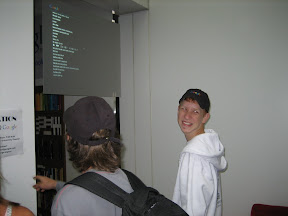

Mono's Grand Prize Winner: Dan Abramov

Dan is from St. Petersburg, Russia, and came to the ceremony with his mother (who had an awesome camera, I hope I get to see some of her photos from the trip). He's a largely self-taught 16 year old dynamo. He made some nice contributions to Mono, including Gendarme analysis rules and MonoDevelop addins and documentation. One of my favorite moments of this trip is when I was asking Dan about his future plans, did he intend to go to university in Russia, pursue Computer Science, etc. He told me that although he felt confident programming in managed languages like C#, he wanted to understand more about the low-level details. He asked me if I had read Joel Spolsky's article on "leaky abstractions", and described how sometimes .NET/Mono programming could be like that. I could only laugh with joy that this guy was already reading (and understanding) Joel.
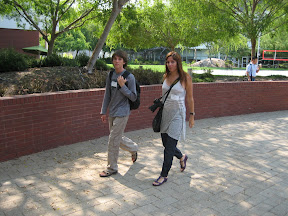
Daniel and his mother
I think it's pretty clear that these students have a huge head-start in computer science. Everybody was interested and excited about open source software. I got a lot of questions about what it's like to work on open source software all day at Novell. Being there, it really felt like I was looking at the next generation of open source leaders. I can only hope they stick with it instead of going down the boring path of being a doctor or a lawyer or something. ;-)

Thank you Google for encouraging these kids, and providing incentives like GHOP and Summer of Code to keep them in our world.

The Visit

It was pretty cool to meet the mentor representatives from other open source projects, some of whom were actually Google employees. Friday was a busy day, what with touring the Google campus, having the actual award ceremony, being interviewed for YouTube (eep), and stuffing my face. We saw presentations about App Engine (by Guido van Rossum), Android (Romain Guy), Google infrastructure (Jeff Dean), and testing at Google (Bharat Mediratta and Mike Bland).

My favorite talk by far was the testing one. Bharat and Mike are among the better pair presenters I've seen, so it was a joy just to watch them. But the subject matter is dear to my heart. At my last company I was often frustrated with how difficult it was to proliferate best practices (specifically TDD) even within a single team. I was fascinated to hear how these guys just decided to fix the testing problem at Google, guerrilla-style. They introduced the awesome Testing on the Toilet newsletter, devised testing training and certification programs for projects and employees, and introduced "test mercenaries" to spread skills where needed by hopping from project to project, staying only a few months with each. Ingraining these practices in a company's culture is a singularly difficult problem. Their example is inspiring, though of course it requires constant ongoing work, and it might be difficult to convince any company to invest such significant resources into a never-ending program like that. I've been following the Testing on the Toilet blog for awhile, but meeting these guys was truly invigorating. I wish there had been time to chat them up afterwards!

The Rest

Over the weekend, Ellery and I visited our old stomping grounds at San Francisco State University, Stonestown Borders, and West Portal. We had a fun dinner with Liz and Bernat at Mozzarella Di Bufala. It was nice; I really do miss my friends sometimes. :-) Later we visited some family in the East Bay.
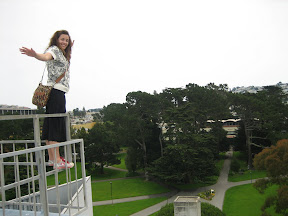
Ellery is Queen of the Campus
The rest of my photos can be seen on my picasaweb. By the way, Lazyweb, do you know how to tag all photos in an album at once?

Wednesday, June 25, 2008

Recent Hacks: irc2wiki.pl and xchat-nick-pidgin-status.py

The Mono a11y team has weekly iteration meetings in IRC, and we post the logs to the Mono wiki. Our version of MediaWiki doesn't automatically prettify IRC logs, so for awhile I was using Jamie Zawinski's irc2html.pl to create HTML tables. Today I hacked it up to produce MediaWiki tables instead. I call it irc2wiki.pl. Fixes welcome (or better suggestions).

Also, I now live on IRC. Some people prefer to get me through IM, so I always have Pidgin running, but my online presence is mostly reflected in my IRC nick. I'm forgetful, so I kept noticing that I was "available" in Pidgin even though my IRC nick was "sandy|lunch", or that when I changed my nick from "sandy|brb" to "sandy" my Pidgin status would stay the same. I decided to automate that shit. Based on a bunch of useful code from Arstechnica's Ryan Paul, I present to you my first xchat plugin, xchat-nick-pidgin-status.py:


#!/usr/bin/env python

# Sets Pidgin status from XChat nick, assuming you use a style like:
# mynick => Available (status "Workin")
# mynick|busy => Away (status "busy")
# Hobbled together by Sandy Armstrong from code
# written by Ryan Paul (segphault) of Ars Technica:
# http://arstechnica.com/reviews/apps/pidgin-2-0.ars/4
# http://arstechnica.com/journals/linux.ars/2007/08/29/send-twitter-updates-from-xchat-using-python

import xchat, dbus

# Describe the plug-in metadata for XChat
__module_name__ = "Pidgin Status Plug-in"
__module_version__ = "1.0"
__module_description__ = "Set Pidgin status according to XChat nick"

# Specify status ID values
STATUS_AVAILABLE = 2
STATUS_AWAY = 5


def nick(words, word_eol, userdata):
# Get new nick
if len(words) < 2:
return None
new_nick = words[1]

# Check for status
pipe_index = new_nick.find("|")
if pipe_index > 0 and pipe_index < len(new_nick):
message = new_nick[pipe_index + 1:]
# set away with status message
set_status("", STATUS_AWAY, message)
else:
# set available
set_status("", STATUS_AVAILABLE, "Workin")


def set_status(name, kind, message):
# Create a new saved status with the specified name and kind
status = purple.PurpleSavedstatusNew(name, kind)
# Associate the specified availability message with the new saved status
purple.PurpleSavedstatusSetMessage(status, message)
# Activate the new saved status
purple.PurpleSavedstatusActivate(status)


# Initiate a connection to the Session Bus
bus = dbus.SessionBus()

# Associate Pidgin's D-Bus interface with Python objects
obj = bus.get_object(
"im.pidgin.purple.PurpleService", "/im/pidgin/purple/PurpleObject")
purple = dbus.Interface(obj, "im.pidgin.purple.PurpleInterface")


# Associate the nick function with the /nick command in XChat
xchat.hook_command("nick", nick)